Built for people who keep receipts

Keep receipts organized without giving up control.

Home Receipt is an offline-first iPhone expense tracker for income, expenses, receipt photos, OCR-assisted capture, and polished exports. Everything stays fast, readable, and ready even when you are away from a connection.

Primary mode Offline-first
Capture flow Photo + OCR review
Exports PDF reports
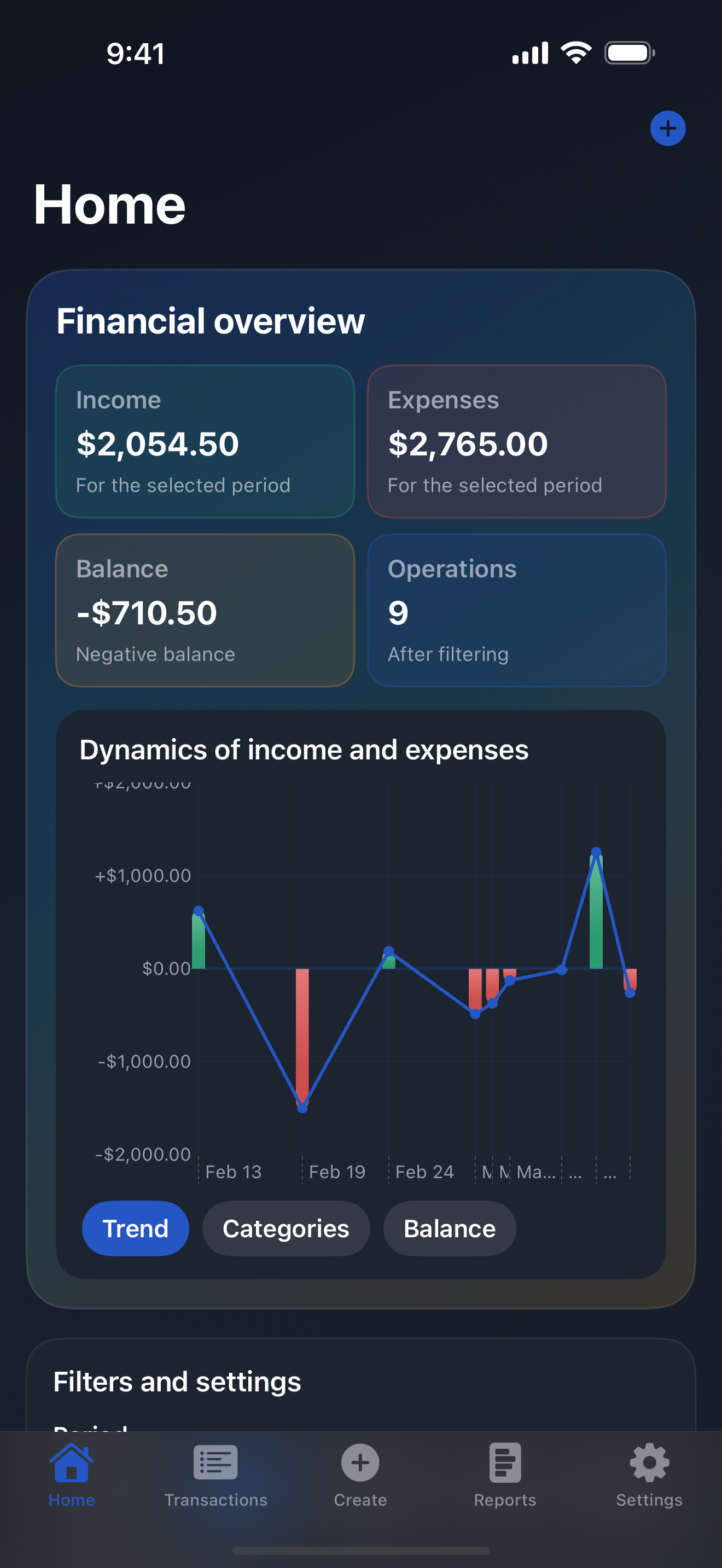
Home Receipt home dashboard with receipt-focused expense overview
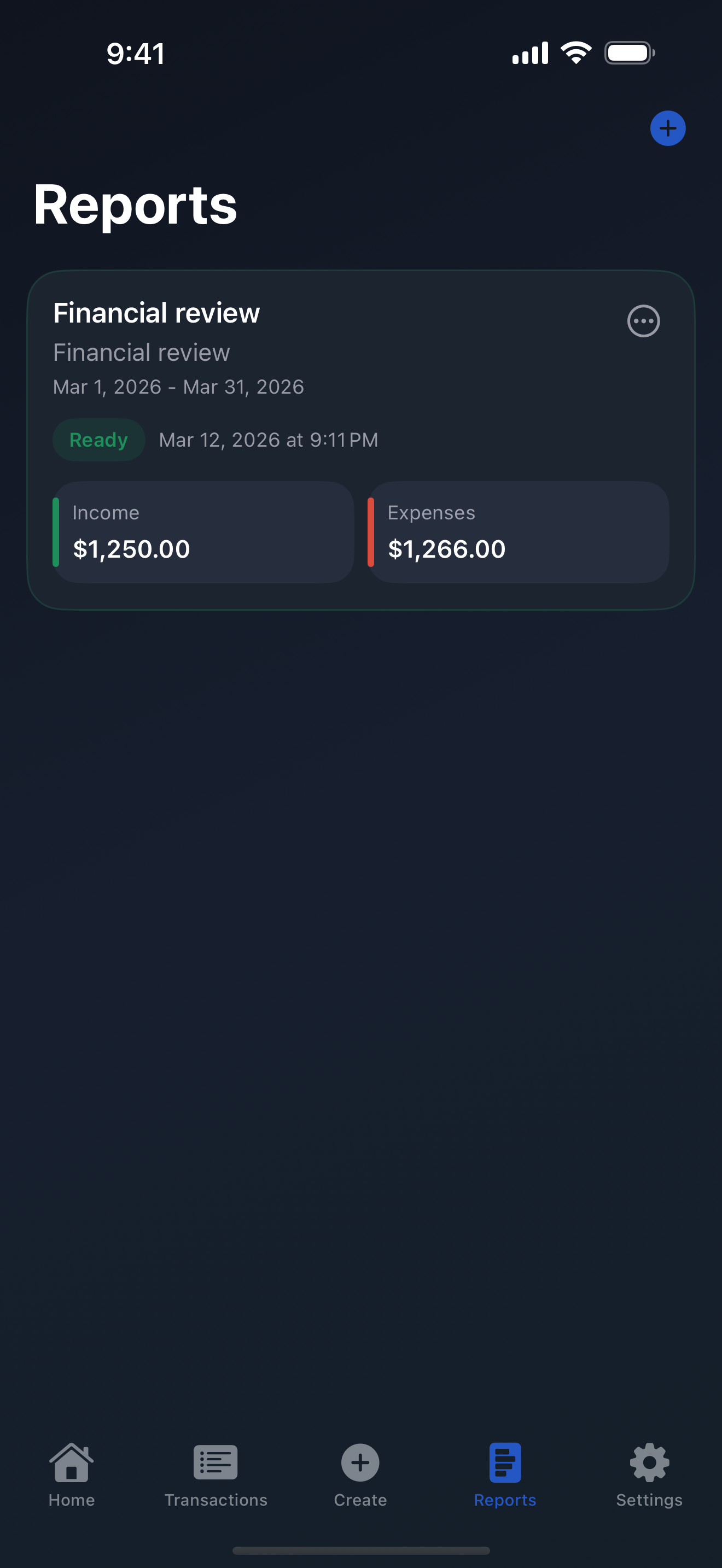
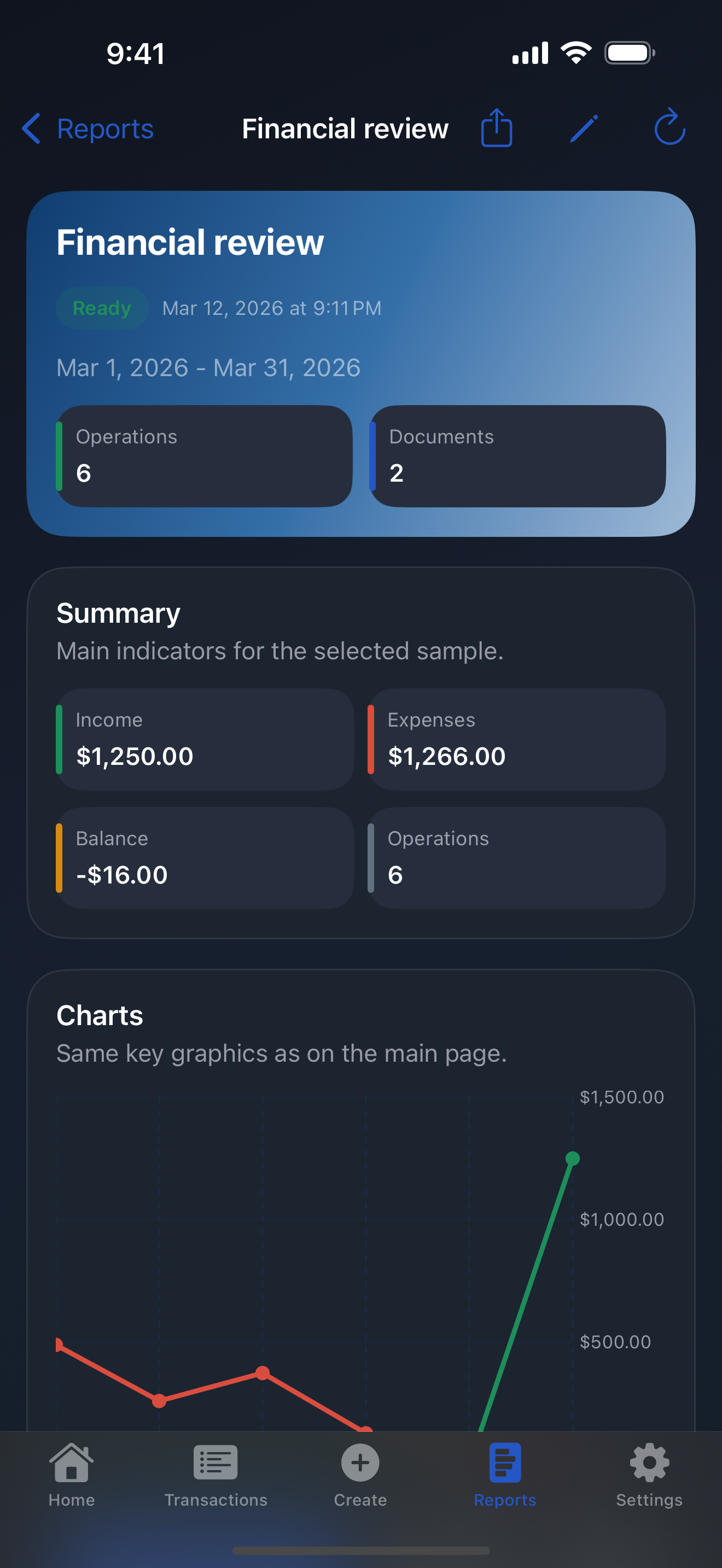
Home Receipt reports overview screen with totals and charts
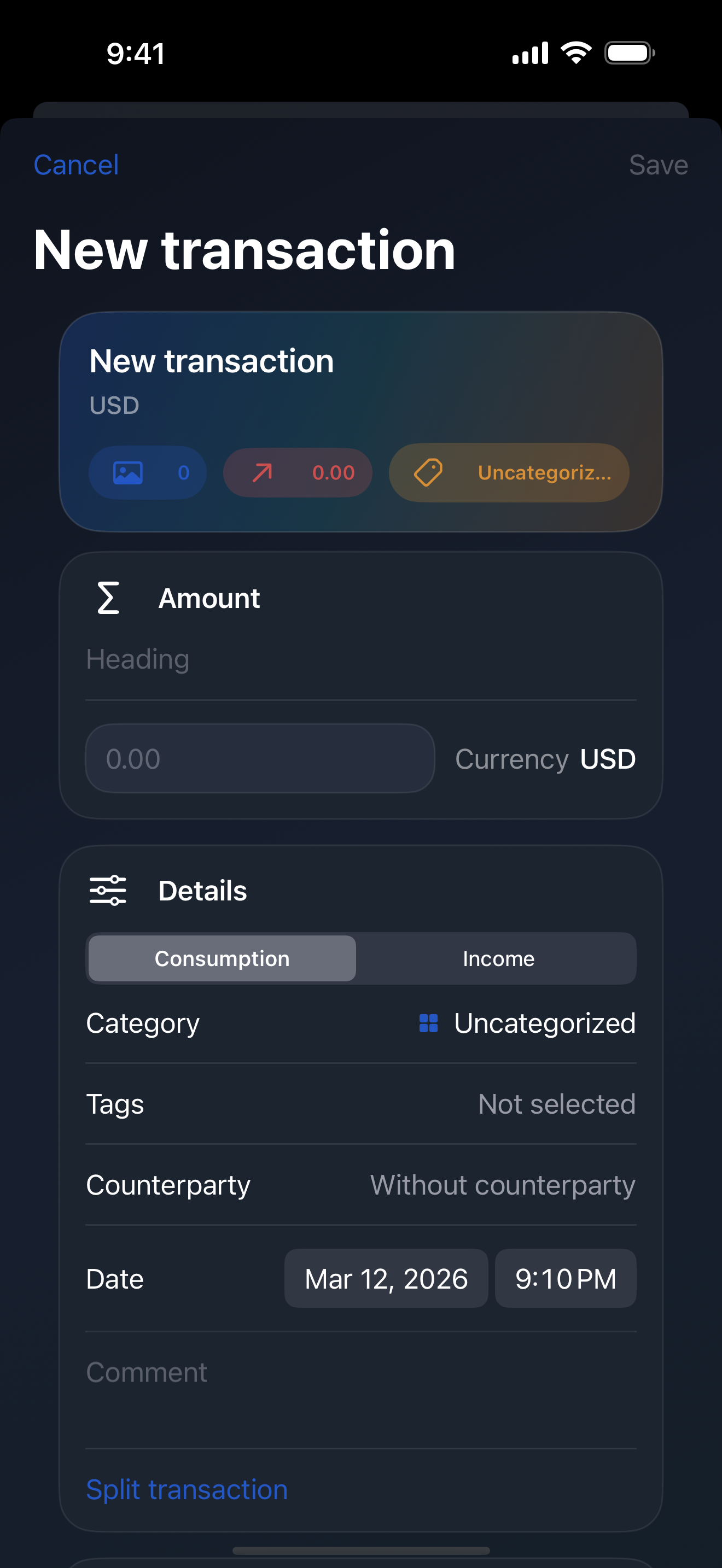
Home Receipt transaction capture screen with receipt details
Why it feels different

Designed for records you may need months later, not just spending logs.

Home Receipt focuses on clarity, attachment quality, and dependable retrieval. It is made for receipts, invoices, reimbursements, and personal bookkeeping that needs supporting evidence.

Offline-first by default

Core tracking works without internet. Your transaction list, saved attachments, filters, and reports stay available when you are traveling, commuting, or simply working offline.

No backend required Local storage first Ready when disconnected

Receipt-aware capture

Attach receipt photos directly to transactions and let receipt recognition help fill in details faster. You stay in charge of edits before anything is saved.

Receipt photos OCR assist Review before save

Searchable, structured records

Keep transactions organized with categories, tags, counterparties, comments, and date filters so the right record is easy to find when tax season or reimbursement requests show up.

Fast filters Tags & categories Attachment-aware history

Made for practical reporting

Build reports for a selected period, inspect totals and charts, then export PDF output when you need something shareable or archivable. Home Receipt stays focused on reporting you can actually use, not decorative dashboards.

Privacy-minded product choices

The product narrative starts with local data and readable policies. Legal pages are public, indexable, and linked directly from the landing page so expectations are easy to verify.

Workflow

Capture the paper trail, then turn it into something useful.

The app follows a simple loop that prioritizes speed during capture and clarity during review.

Snap or attach the receipt

Start with an income or expense transaction and add one or more receipt photos so the supporting document lives next to the entry from the beginning.

Review recognized details

Receipt recognition helps surface likely fields faster, while keeping the result fully editable. You confirm the important details instead of trusting opaque automation.

Organize with structure

Add categories, tags, counterparties, and comments so future search and filtering stay useful even as your history grows.

Export the period you need

Generate reports with totals and charts for a selected period, then export PDF output when you need a portable record.

Screens

See how Home Receipt handles everyday bookkeeping on iPhone.

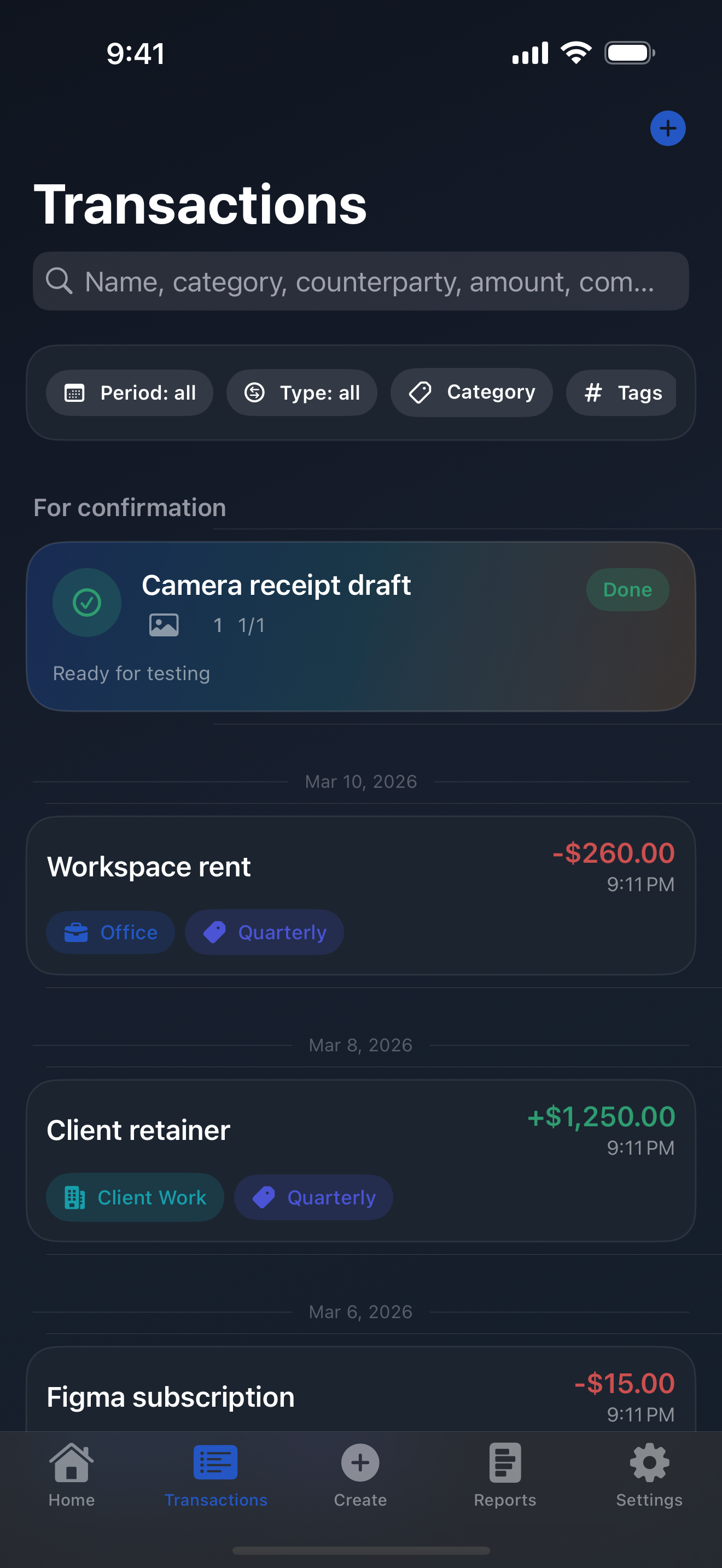
These are real product screens from the English build, focused on home overview, transactions, capture flow, and reporting.

Privacy & ownership

Your records should stay understandable, portable, and easy to audit.

Home Receipt is positioned around local storage, transparent legal pages, and a product flow that treats receipts as documents worth preserving.

Short version

The app is designed so core use remains available offline. Receipt data and bookkeeping records are meant to stay practical and accessible instead of feeling tied to a remote service.

For the exact legal wording, read the public policy pages linked below. They are available as standalone pages so users and search engines can reference them directly.

FAQ

Questions people search before trusting a receipt tracker.

These answers mirror the current product positioning and the public legal pages.

Does Home Receipt work offline?

Yes. Offline-first operation is part of the product design, so core tracking, receipt attachment, filtering, and reporting remain useful without an internet connection.

Can I keep receipt photos attached to transactions?

Yes. Transactions can include receipt photos, which keeps the supporting document alongside the financial entry.

Is OCR built into the workflow?

Yes. Receipt recognition is used to help capture details faster, with the result kept editable so you can confirm the final saved data.

What reporting and export options are available?

Home Receipt supports period-based reports with totals and charts, plus PDF export. Some export flows can include receipt attachments alongside the report output.

Who is Home Receipt for?

It is aimed at people who keep receipts and want a tidy, practical way to track expenses or income with supporting documents on iPhone.

Ready to try it

Keep the receipt, keep the context, keep it on hand.

Download Home Receipt on the App Store and start building a cleaner, receipt-aware archive for everyday bookkeeping.

Download on the App Store